JUnit5 命名规则
JUnit5 命名规则
JUnit5 文件工程目录
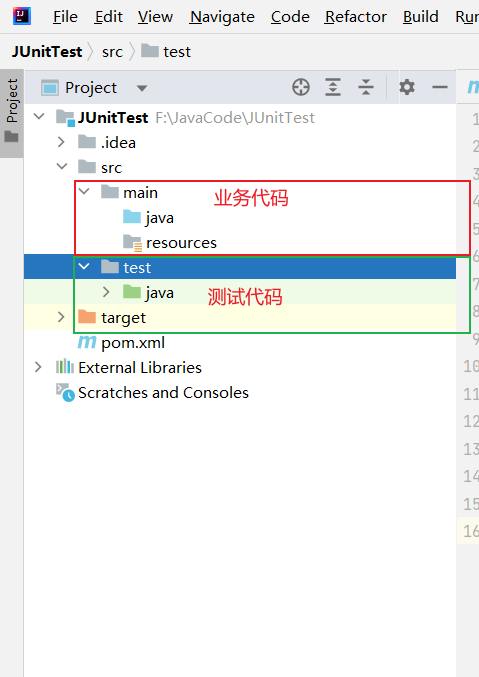
- 单元测试代码文件
- 默认写在工程目录:
src/test/java
- 不允许写在业务代码目录下
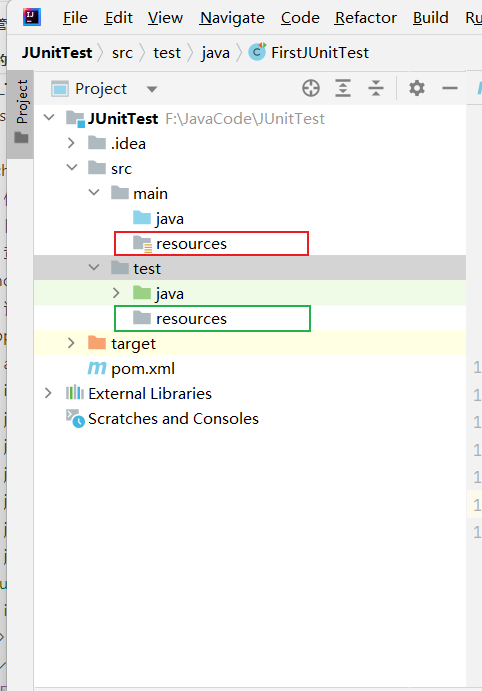
- 测试资源文件
- 默认写在资源目录:
src/test/resources
- 如果不存在 resources 目录可以复制创建一个

测试文件命名规则
- 默认命名规则
- 以
Test 开头 例如TestHogwarts
- 以
Test 结尾 例如HogwartSTest
命名规则实例
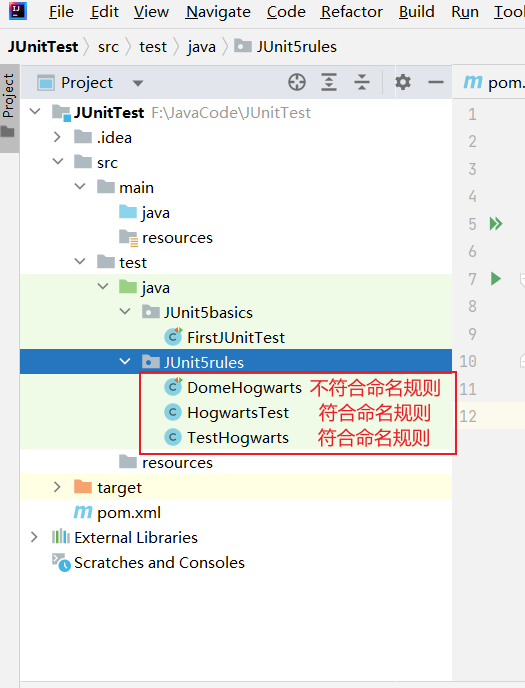
- 在 test 模块下创建三个类文件 分别为:
- 以 Test 开头符合命名规范
- 以 Test 结尾符合命名规范
- 不符合符合命名规范
- 在每个类中编写测试用例输出当前类名
//以DomeHogwarts文件为例
package JUnit5rules;

import org.junit.jupiter.api.Test;

public class DomeHogwarts {
    //测试用例前必须要添加Test注解才可以被识别为测试用例
    @Test
    void first(){
        //输出文件名
        System.out.print("测试文件DomeHogwarts");
    }
}
- 执行测试用例
- 打开终端
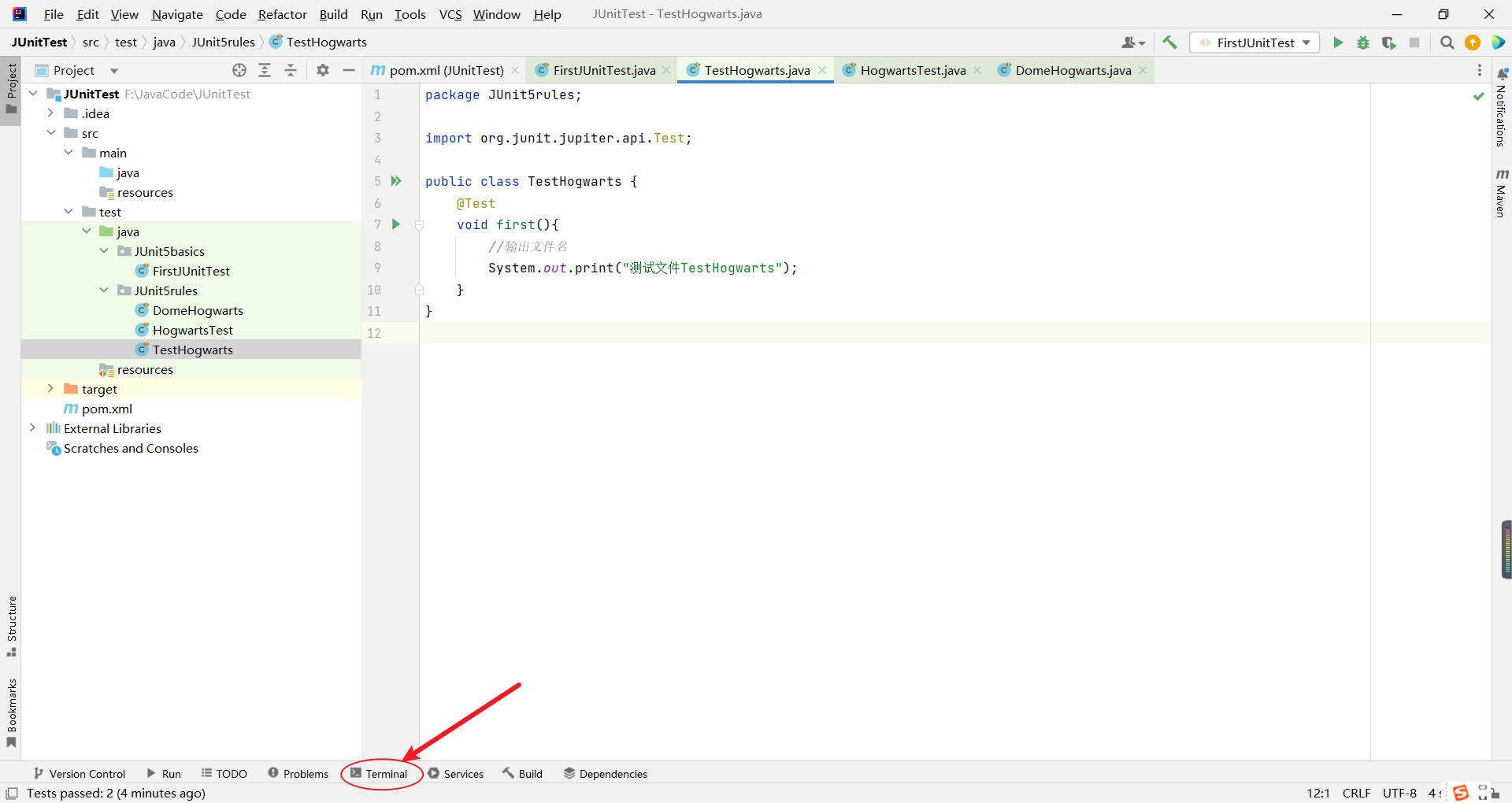
- 输入
mvn test

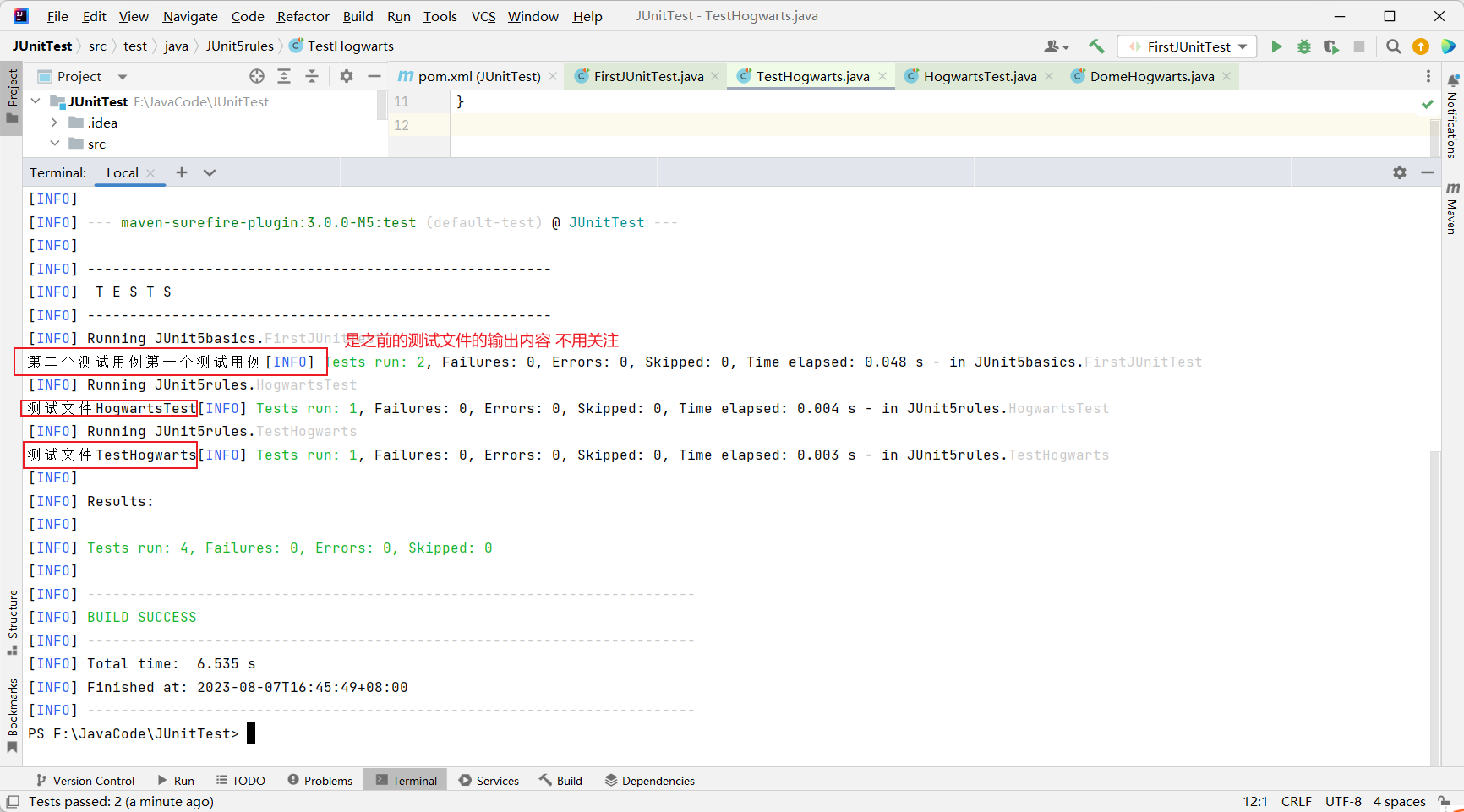
- 查看测试结果
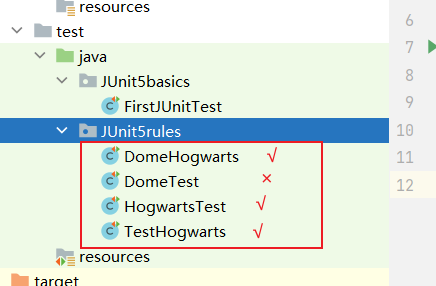
- 可以看到符合命名规则的 TestHogwarts、HogwartsTest 文件被识别为测试类,而 DomeHogwarts 没有被识别到
自定义命名规则(拓展)
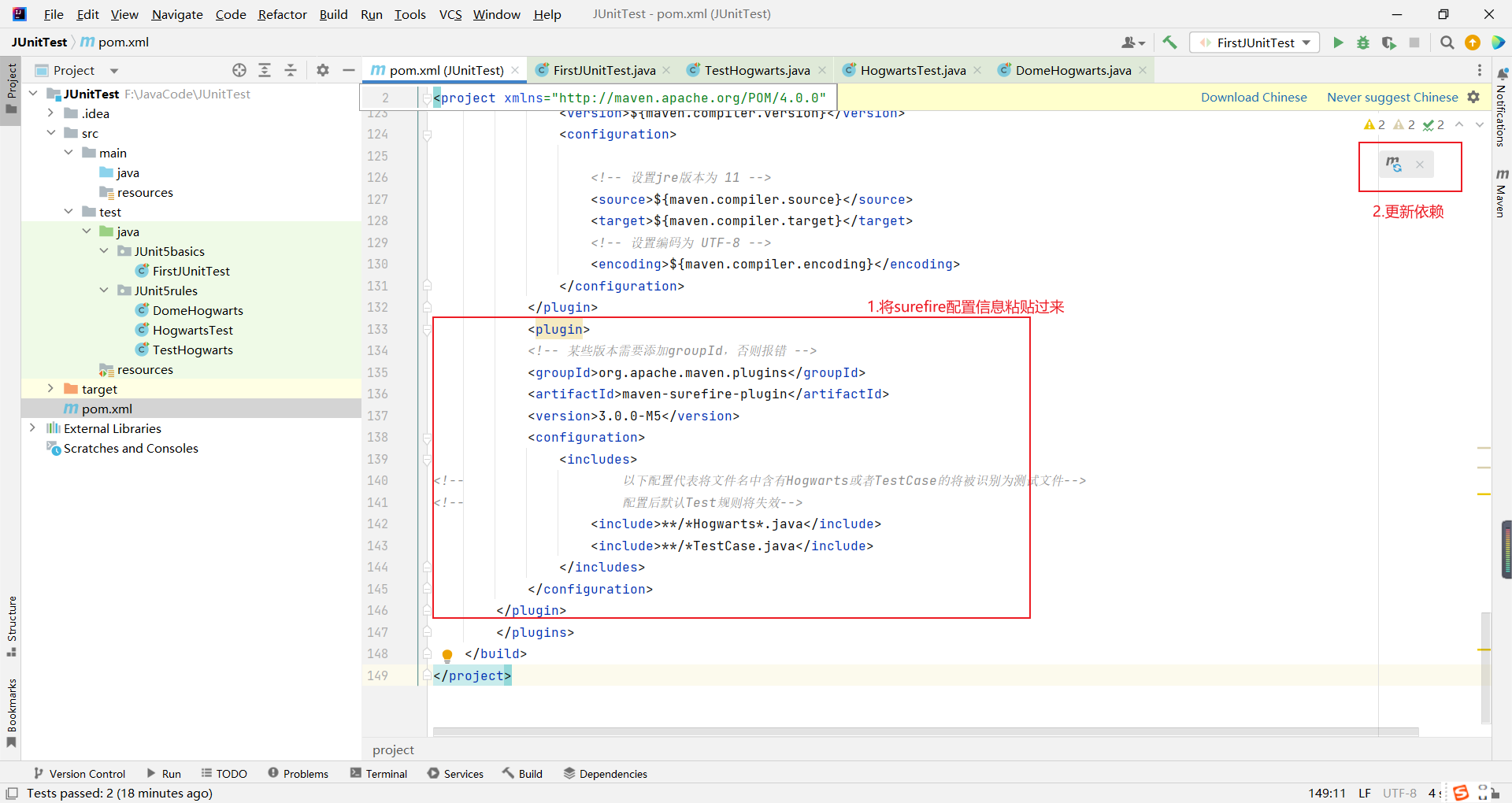
 <plugin>
            <!-- 某些版本需要添加groupId,否则报错 -->
            <groupId>org.apache.maven.plugins</groupId>
            <artifactId>maven-surefire-plugin</artifactId>
            <version>3.0.0-M5</version>
            <configuration>
                <includes>
<!--                    以下配置代表将文件名中含有Hogwarts或者TestCase的将被识别为测试文件-->
<!--                    配置后默认Test规则将失效-->
                    <include>**/*Hogwarts*.java</include>
                    <include>**/*TestCase.java</include>
                </includes>
            </configuration>
        </plugin>
- 将配置信息粘贴过来 更新依赖
- 创建一个符合默认规则但不符合自定义规则的测试类
DomeTest
package JUnit5rules;

import org.junit.jupiter.api.Test;

public class DomeTest {
    @Test
    void first(){
        //输出文件名
        System.out.print("测试文件DomeTest");
    }
}
- 再次运行命令行 输入
mvn test 对比结果
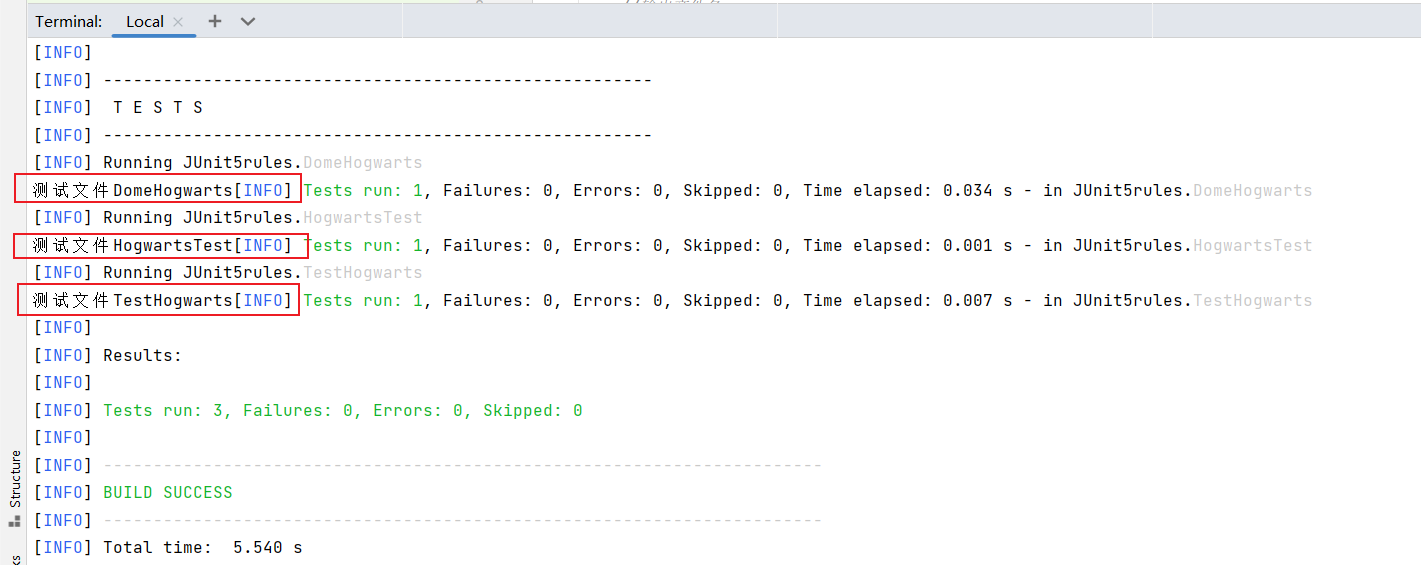
- DomeHogwarts、HogwartsTest\TestHogwarts 中包含 Hogwarts 被识别为测试文件,而 DemoTest 符合默认 Test 规则,但在使用 surefire 进行自定义命名规则后默认规则失效,所以没有被识别到。